
The Claude Code mobile app that shows you the real terminal
Lochan is an iOS app for managing AI coding agents from your phone. It opens the real terminal of Claude Code, Codex, Gemini CLI, Grok, OpenCode, Aider and others, so you can read what they did and answer when they stop to ask.
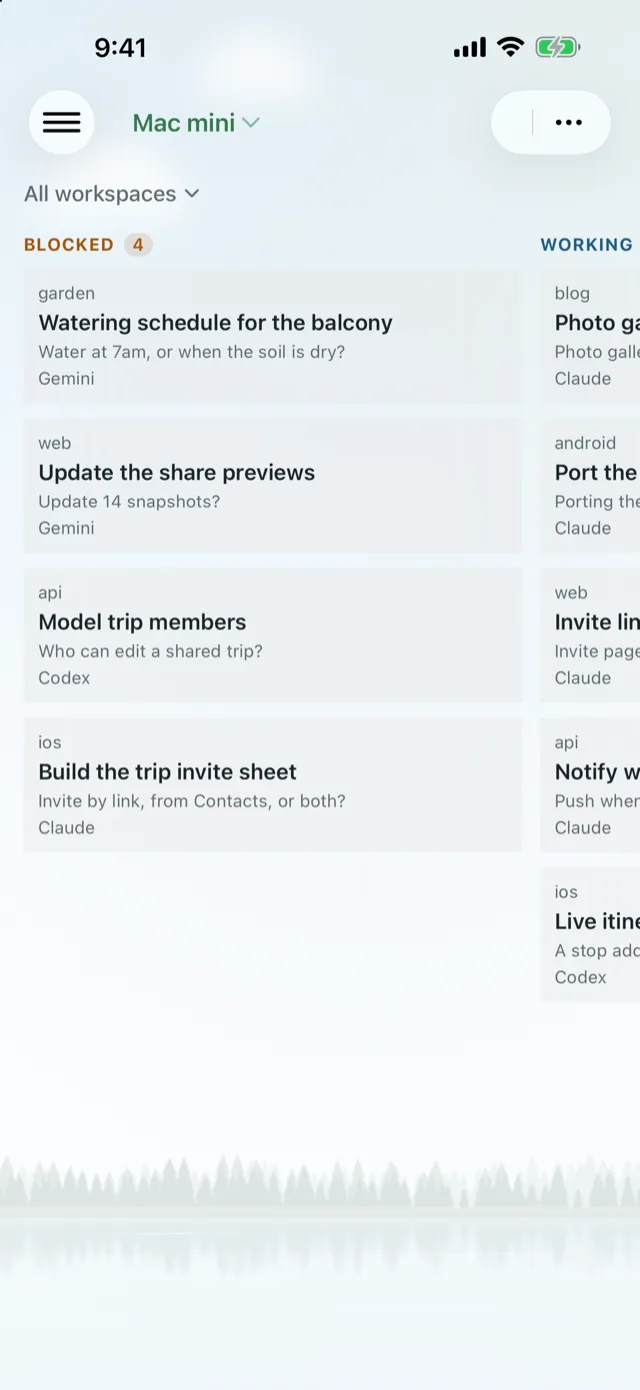 Blocked first, always.
Can I see Claude Code's actual terminal on my iPhone?
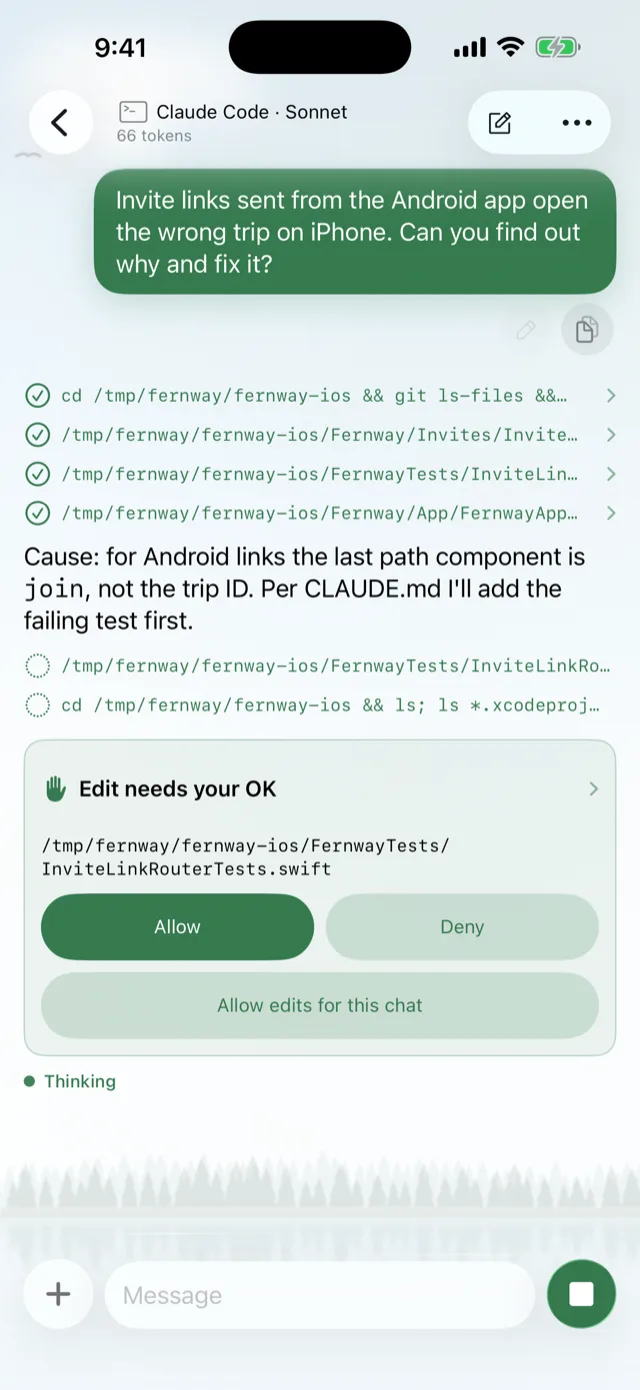
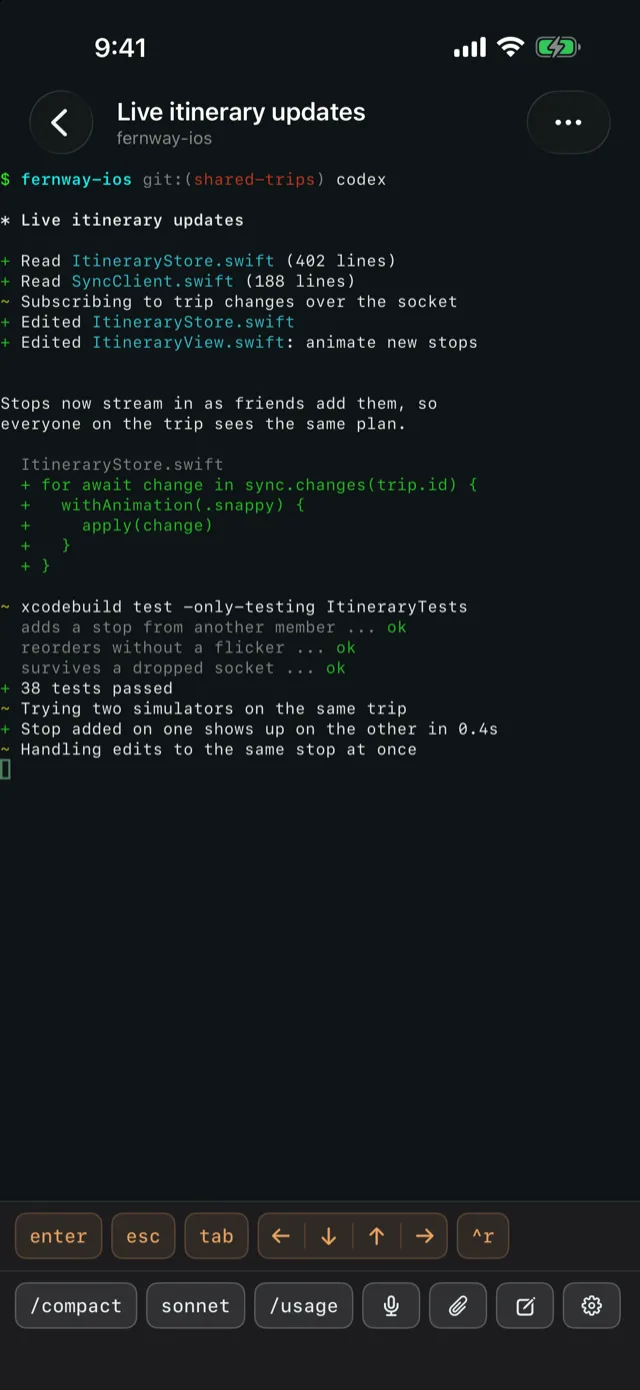
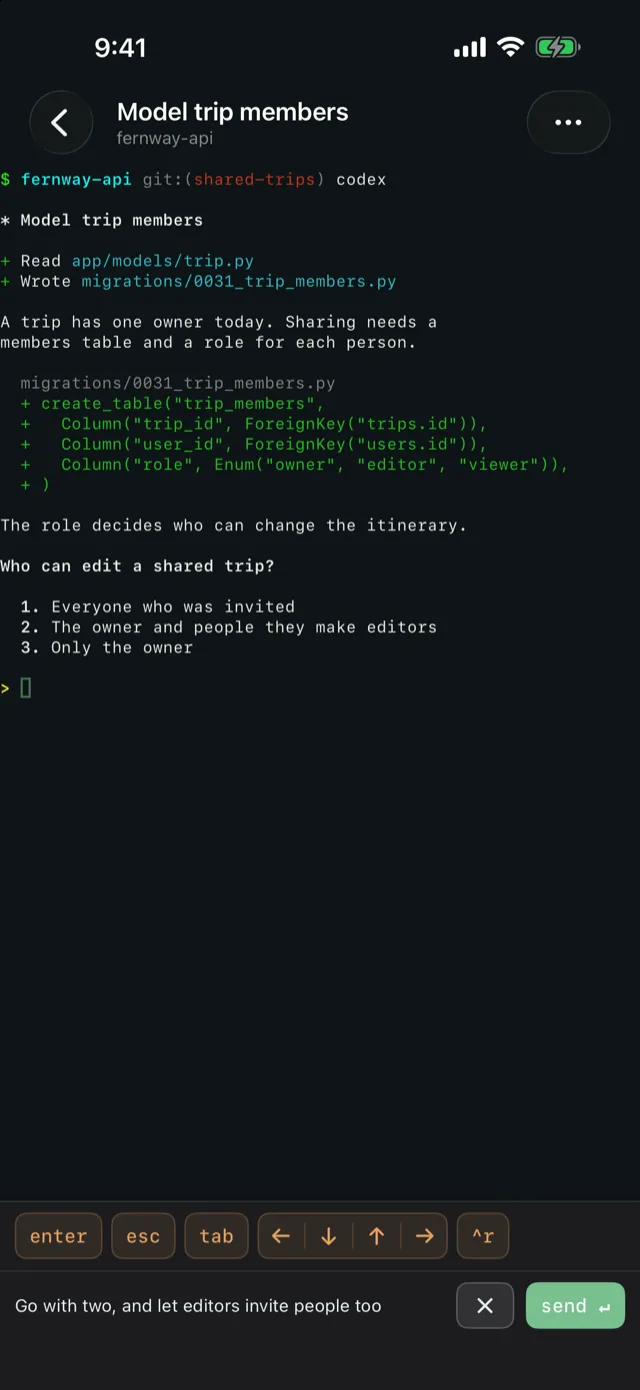
Yes. Lochan shows the agent's real pane, not a summary of it. You read the live output as it streams and answer right where the agent is waiting.
- Live output from Claude Code, Codex and any other terminal agent
- Answer permission prompts in place, like a request to edit a test file
- Watch updates arrive as the agent keeps working
Nothing rewritten, nothing summarized away. Just the pane.
How do I keep track of many coding agents at once?
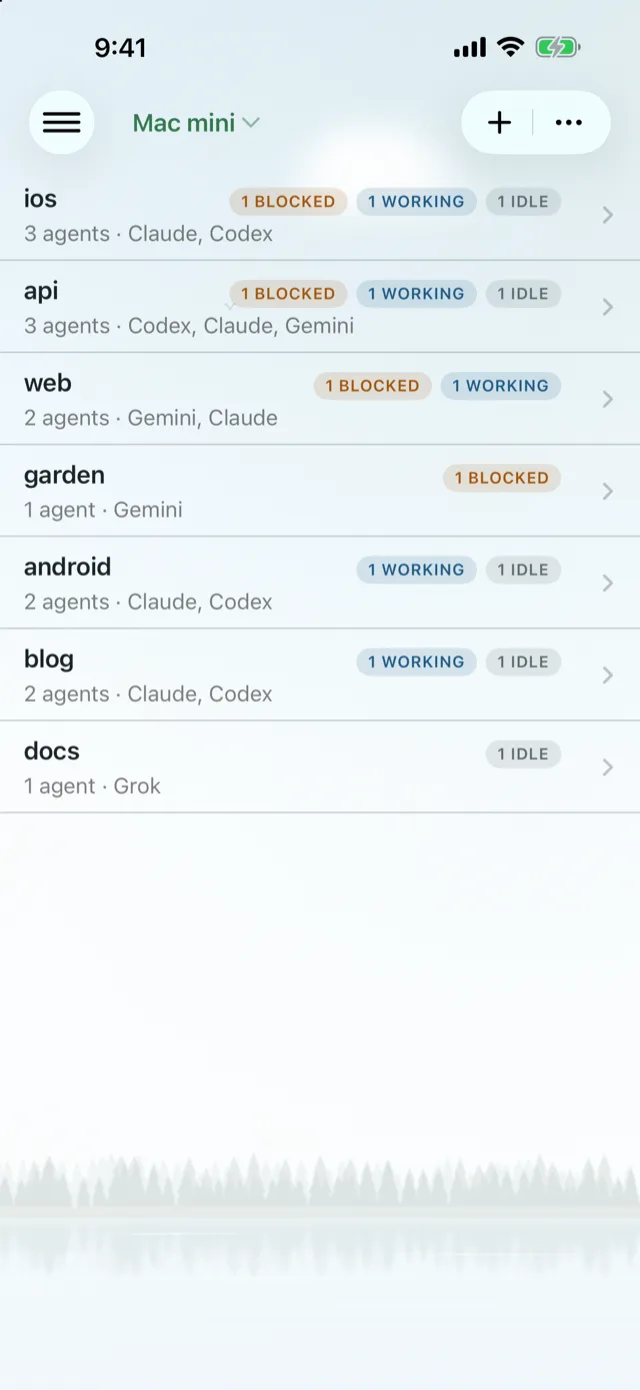
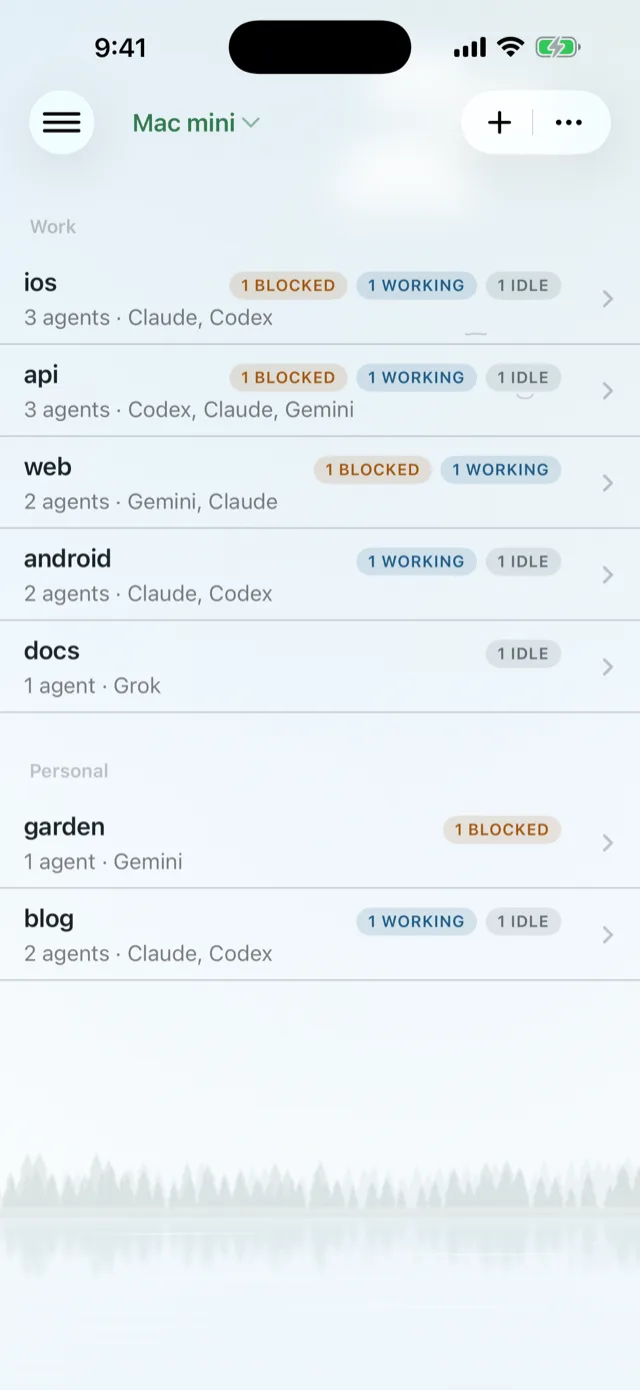
Lochan organizes every agent into four calm views. Workspaces show counts of blocked, working and idle agents, so you know where to look before you open anything.
Group projects into Work and Personal, and let Recaps tell you what happened while you were away.
Board
Blocked agents in one column, working agents in another. Blocked first, always.
Projects
Every workspace with its blocked, working and idle counts at a glance.
Categories
Sort projects into groups such as Work and Personal.
Recaps
A summary of what happened while you stepped away.
An agent that watches your other agents
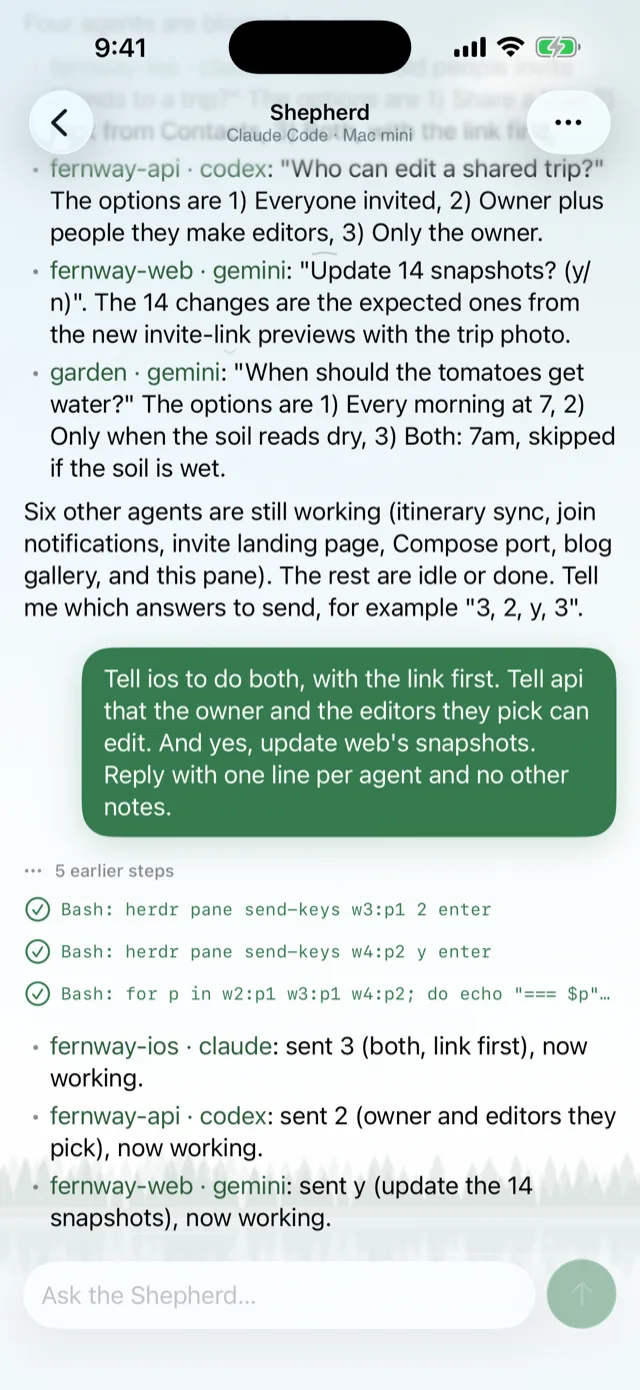
Shepherd is a built-in agent in Lochan that reads every pane, tells you who is blocked and why, and can answer or act for you.
- Ask "who's blocked?" and get each agent's question with a link to its pane
- Send answers to several blocked agents at once
- Step in yourself whenever you prefer
How can I reply to a coding agent from my phone?
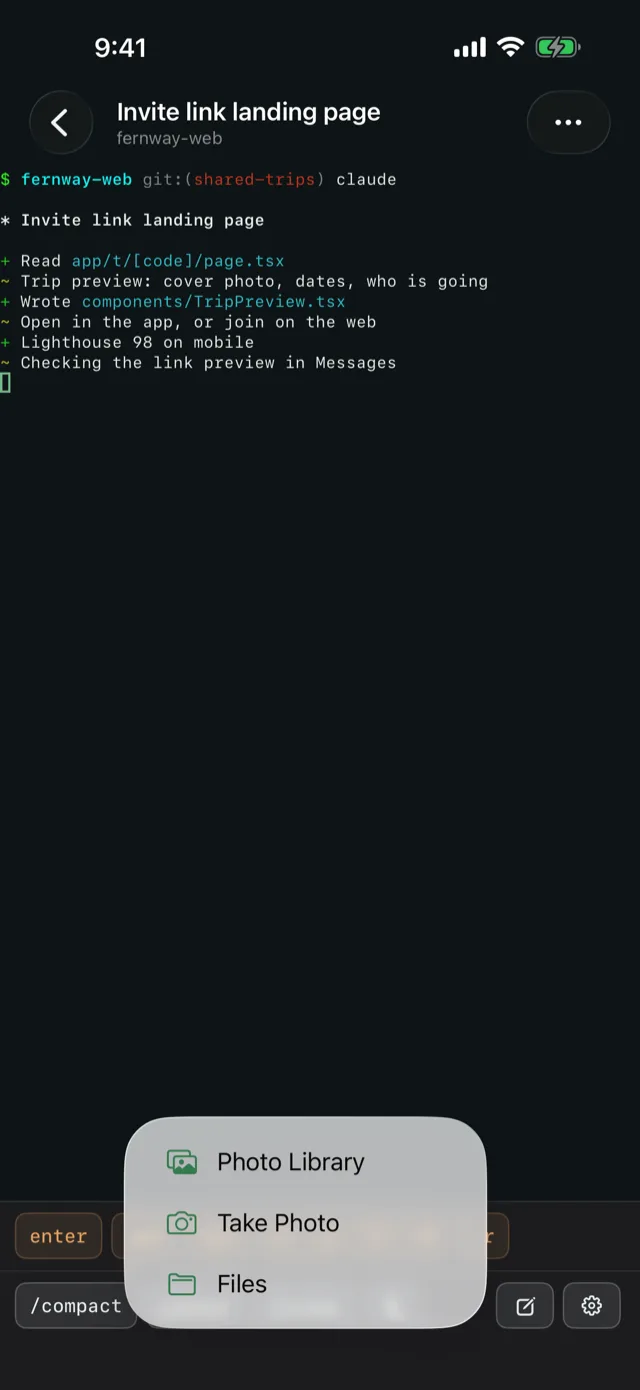
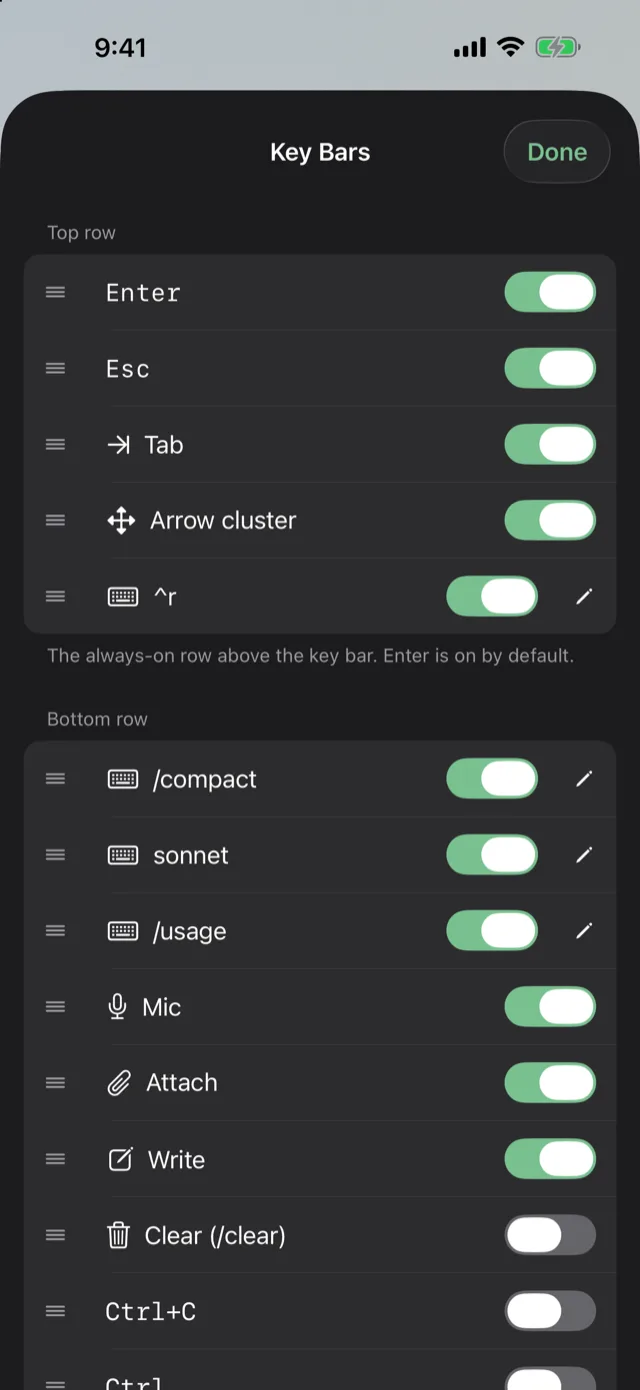
Type, speak, attach or tap. Lochan gives you dictation, attachments and custom key bars so a reply takes seconds, not a laptop.
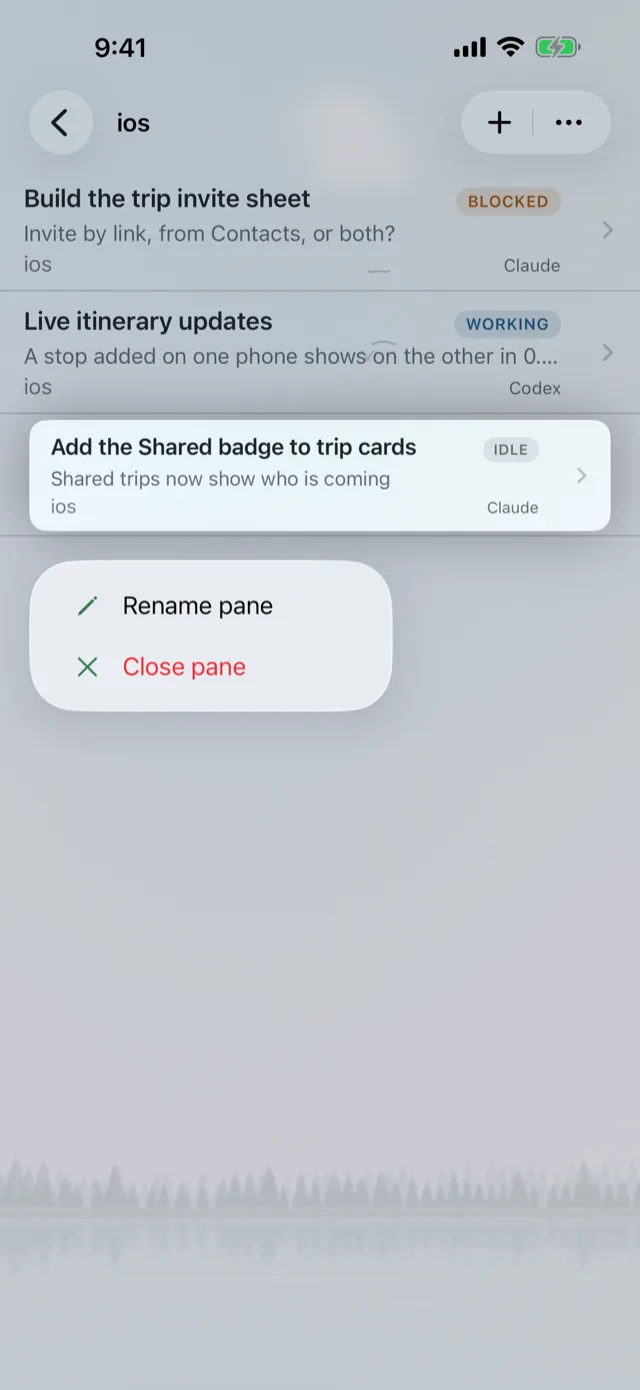
Rename or close panes without opening your laptop
From the project agent list, open a pane's menu to rename it or close it. Give each agent a name you will recognize later, and clear out the ones that are done.
- Rename pane
- Close pane
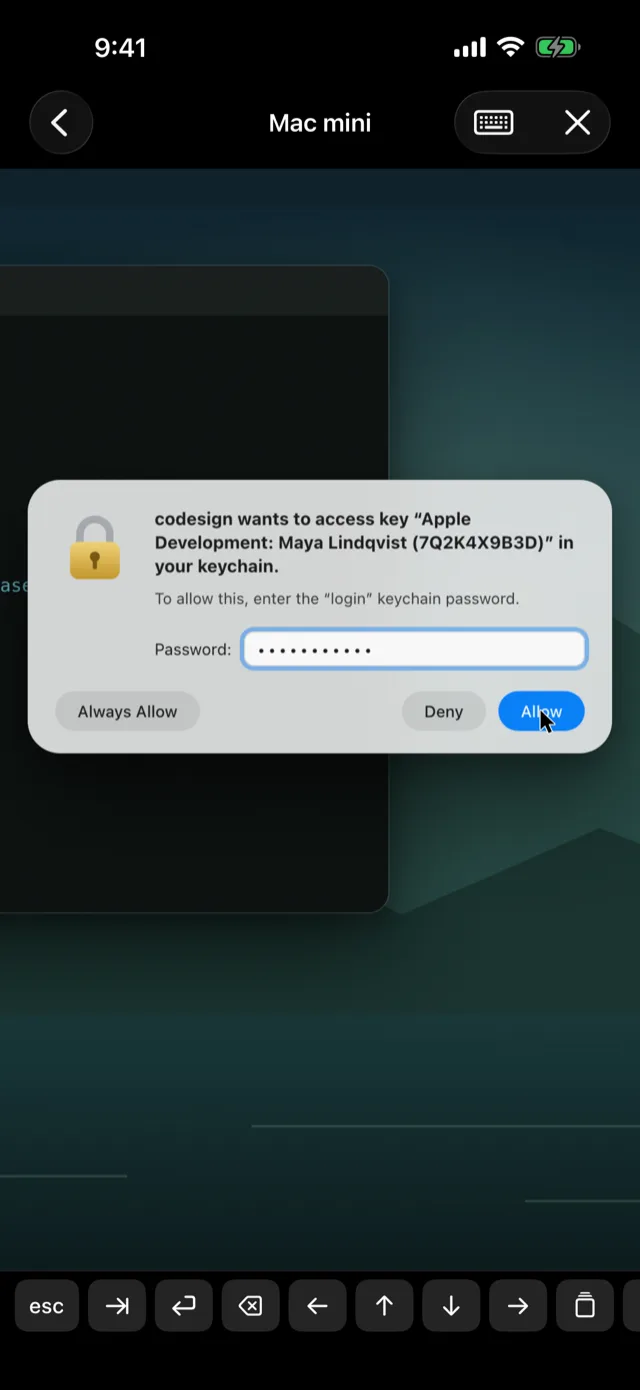
Remote desktop and Mac chat from your iPhone
Some prompts are not in a terminal. Lochan includes Screen Sharing of your Mac over Tailscale, so you can handle a keychain access dialog or anything else on screen.
Screen Sharing over Tailscale
See and control your Mac's desktop to click Allow on a codesign keychain prompt and keep the build moving.
Chat with Claude Code or Codex
Talk to Claude Code or Codex running on your Mac, using your own plan.
Want a private chat that runs on the phone itself? See On-device AI.
See everything you ship in one place
The Apps dashboard in Lochan brings website traffic, GitHub checks, Vercel deployments and App Store status together on your phone.
Website traffic
Check how your sites are doing at a glance.
GitHub checks
See which checks passed and which need you.
Vercel deployments
Follow deployments without opening a browser.
App Store and TestFlight
Read App Store status, reviews and TestFlight feedback.
Spot something? Jump straight into the app's linked Herdr workspace.
Frequently asked questions
Which coding agents does Lochan work with?
Lochan opens the real terminal of Claude Code, Codex, Gemini CLI, Grok, OpenCode, Aider and other terminal-based coding agents.
Is Lochan a Claude Code mobile app or a Codex mobile app?
Both, and more. Lochan shows the live pane of any agent running in Herdr, and it can also chat with Claude Code or Codex running on your Mac using your own plan.
What do I need to use Lochan?
An iPhone or iPad running iOS 26 or later, and a Mac or Linux host running Herdr, the terminal workspace for AI coding agents. Herdr is a separate product, not part of Lochan.
How do I pair Lochan with my computer?
Run curl -fsSL lochan.app/herdr-setup | sh on your Mac or Linux host, then scan the QR code it shows from the Lochan app. The full steps are in the pairing guide.
Do I need a Lochan account?
No. There is no sign-in and no Lochan server between your phone and your computers. Lochan collects no analytics and does no tracking.